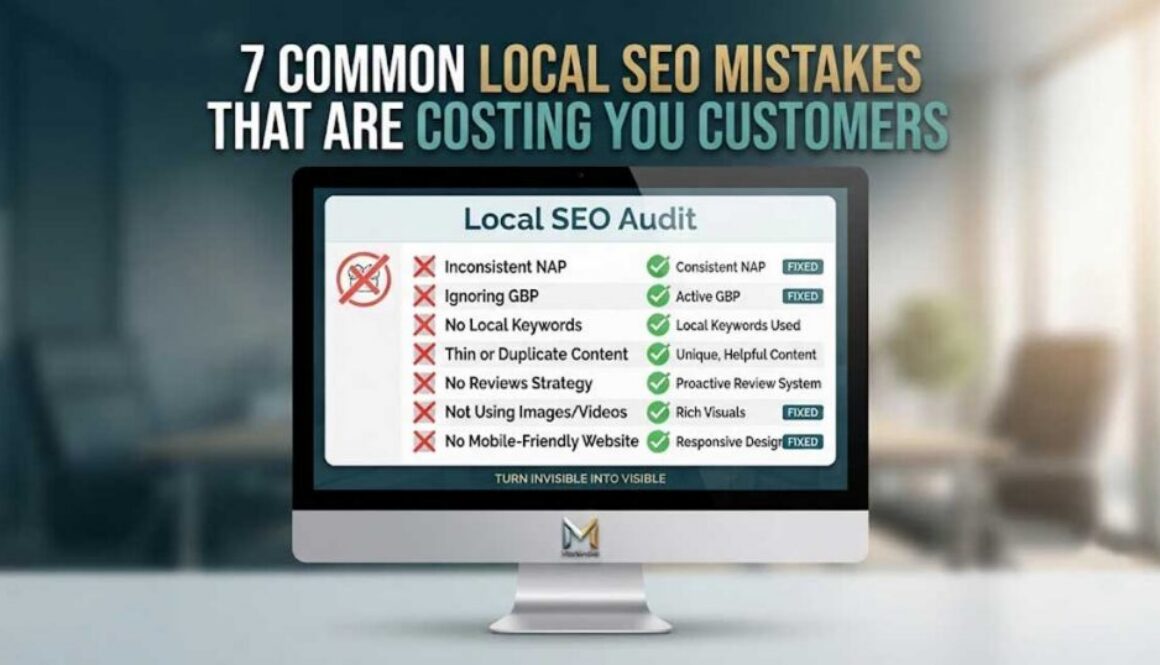
7 Common Local SEO Mistakes That Are Costing You Customers
You’ve got a website. You’ve got a Google Business Profile. You’re posting on social media. So why aren’t customers finding you?
The truth is, most local businesses are making the same SEO mistakes—and they don’t even know it. These errors don’t just hurt your rankings. They cost you calls, website visits, and ultimately, customers.
Let’s walk through the seven most common local SEO mistakes and exactly how to fix them.
Mistake #1: Inconsistent Business Information Across Platforms
Your business name, address, and phone number (NAP) need to be identical everywhere—your website, Google Business Profile, social media, and directories. Even a small variation like “St.” vs. “Street” or “Suite 200” vs. “#200” confuses Google.
Why it hurts: Google uses your NAP to verify your business legitimacy. Inconsistencies signal unreliability and can drop your rankings.
The fix: Create a master document with your exact business information. Use it everywhere. Run a free audit tool like Moz Local or BrightLocal to find inconsistencies.
Mistake #2: Ignoring Your Google Business Profile
Setting up your GBP and forgetting about it is like opening a store and never unlocking the door. Google rewards fresh activity. Businesses that post regularly see higher click-through and call rates.
Why it hurts: Inactive profiles rank lower. Customers assume you’re closed or out of business.
The fix: Post to your GBP at least 2-3 times per week. Add photos weekly. Respond to all reviews—good and bad. Treat it like a live marketing channel, not a static listing.
Learn how to optimize your Google Business Profile with our complete guide.
Mistake #3: No Local Keywords in Your Content
If you’re not using location-based keywords, you’re invisible to local searchers. “Plumber” is too broad. “Plumber in [your city]” is what customers actually type.
Why it hurts: You’re competing nationally instead of locally. Customers searching for your services in your area won’t find you.
The fix: Research local keywords your customers use. Include your city, neighborhood, or region in titles, headings, and content. Think like a customer: “What would I type to find a [service] near me?”
Mistake #4: Thin or Duplicate Content
Google penalizes pages with little or copied content. “Thin” means short, unhelpful pages that don’t answer customer questions. “Duplicate” means copying content from other pages or websites.
Why it hurts: Google sees thin or duplicate content as low quality. Your pages won’t rank, and you waste valuable opportunities.
The fix: Write at least 300-500 words per page. Answer real customer questions. Include unique photos, videos, and details. Never copy content from competitors or other pages on your site.
Mistake #5: No Reviews Strategy
Reviews aren’t just for reputation—they’re a ranking factor. Businesses with more positive reviews appear higher in local search results. Yet most businesses never proactively ask for reviews.
Why it hurts: You’re leaving trust and rankings on the table. 88% of consumers trust online reviews as much as personal recommendations.
The fix: Create a simple system to ask for reviews after every transaction. Send a follow-up email with a direct link. Display QR codes in your store. Make it easy and frictionless for customers to leave feedback.
See real client results driven by our search-driven marketing system.
Mistake #6: Not Using Images and Videos
Visual content isn’t just nice to have—it’s essential for SEO. Google uses AI to analyze photos and videos, and quality visuals signal your business is established, credible, and active.
Why it hurts: Profiles and pages without images rank lower. Customers have less trust and engagement.
The fix: Add at least 5-10 high-quality photos to your GBP. Include your storefront, team, products, and recent work. Add videos—even quick clips from your phone. Customers want to see who they’re doing business with.
Learn why video marketing matters and how it gets you found on YouTube.
Mistake #7: No Mobile-Friendly Website
Over 60% of local searches happen on mobile devices. If your website isn’t mobile-friendly, you’re turning away customers before they even contact you.
Why it hurts: Google penalizes non-mobile-friendly sites. Customers bounce instantly and find your competitors.
The fix: Test your site with Google’s Mobile-Friendly Test. If it fails, talk to your web developer about responsive design. Simplify menus, enlarge buttons, and ensure text is readable without zooming.
Quick Checklist: Are You Making These Mistakes?
NAP consistent across all platforms
Google Business Profile active with weekly posts and photos
Local keywords used in titles and content
Unique, helpful content on every page (300+ words)
Systematic process for asking and responding to reviews
High-quality images and videos on GBP and website
Mobile-friendly, fast-loading website
How We Help Fix These Mistakes
We become your marketing department without the overhead. Our system handles GBP optimization, daily posting, video creation, reviews monitoring, and performance tracking—across 6 platforms.
Here’s what we do:
Research high-intent search terms for your specific business
Create and post daily content on Google, YouTube, TikTok, Instagram, Facebook, and Pinterest
Optimize your GBP with consistent, fresh content
Track real results: calls, website visits, direction requests, and impressions
Provide monthly performance reports with actual data
View our packages to find the right fit for your business.
The Bottom Line
Local SEO mistakes are costly—but they’re also fixable. Start with this checklist. Audit your current presence. And commit to consistency.
Most businesses are invisible because they’re using the wrong playbook. You don’t have to be one of them.