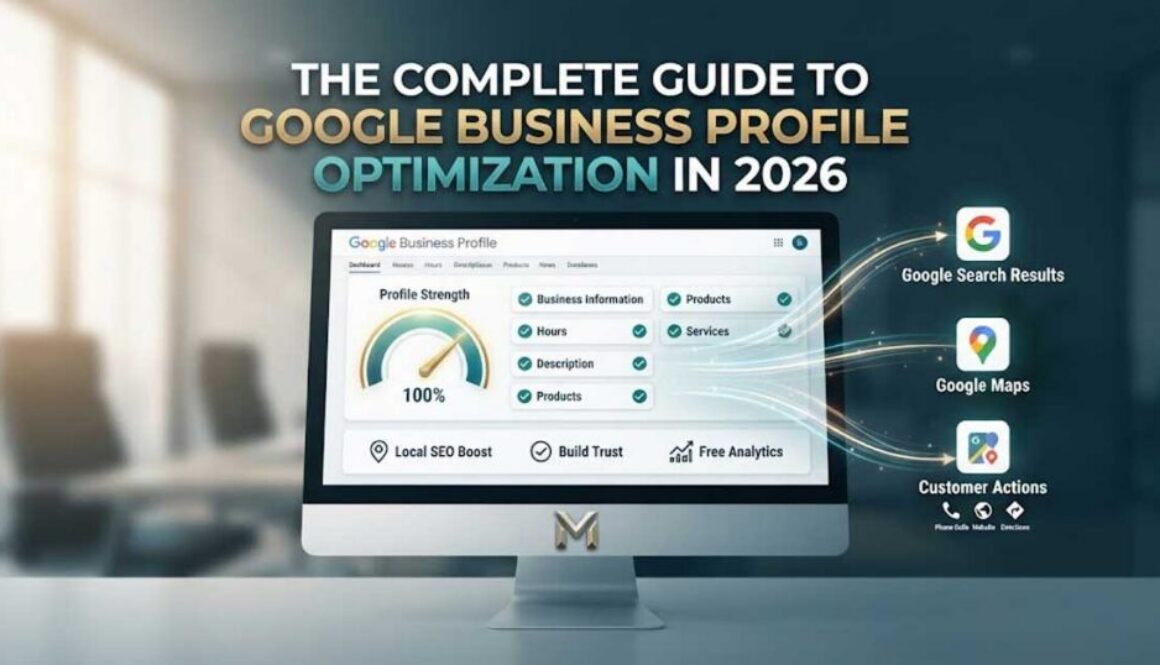
The Complete Guide to Google Business Profile Optimization in 2026
Your Google Business Profile (GBP) isn’t just a listing—it’s your live search engine. When customers search for your products or services in your area, this is what they see first. Yet most businesses set it up and forget it exists.
Here’s the problem: Google rewards activity. Businesses with complete, regularly updated profiles are significantly more likely to show up in local search results. And with 86% of Google Business Profile views coming from category-based searches like “best plumber near me” or “barbershop open now,” your GBP is often the first impression potential customers have of your business.
Let’s fix that.
Why Your Google Business Profile Matters More Than You Think
Your Google Business Profile serves three critical functions for your local business marketing strategy:
1. It improves local SEO. When a user makes a location-based search query, Google uses your GBP information—location, phone number, address, descriptions, and reviews—to decide which businesses best fit the searcher’s intent. The best matches show up in the top positions on the search results page.
2. It builds trust before you even make a sale. According to Google, businesses with complete and accurate profile information are more likely to appear in local search results. This means every field you fill out is an opportunity to be found.
3. It gives you free analytics. GBP provides insights showing how people discover your business on Google and how they interact with your profile—without spending a dime on ads.
In 2024, 48% of Google Business Profile interactions were website visits, meaning nearly half of people who engaged with a business profile on Google clicked through to a website to learn more.
Step 1: Claim and Verify Your Profile
If you haven’t already, claiming your Google Business Profile is free and takes minutes.
What you need:
A Google account (use a dedicated work account, not your personal one)
Your business name exactly as you want it to appear
Your business address or service area
Verification options: Google may verify you by phone call, SMS, email, video recording, or postcard. Some businesses can even verify over a live video call. Verification can take up to five days, so don’t put this off.
Once verified, you can publicly reply to customer reviews, use messaging features, and fully optimize your profile. If you have a service-based business without a physical location customers can visit, you can list your service areas instead—GBP supports this option.
Step 2: Complete Every Section of Your Profile
Google has stated that businesses with complete and accurate profile information are more likely to show up in local search results. Here’s what needs to be filled out:
Business hours: Add specific hours for each day of the week. This is one of the most common reasons customers get frustrated and click away.
Business description: Write a brief but expressive description that explains what separates your business from competitors. Give customers a sense of your brand voice.
Products and services: Showcase your top products or services directly on your profile. Think of it as a preview of your business—like a micro website. You can add images, descriptions, categories, and links to specific pages on your website. This is especially useful for retail, ecommerce, and businesses with tangible inventory.
Attributes: These are badges that share more about your business identity—woman-owned, veteran-owned, LGBTQ+ friendly, and more.
Q&A section: Address customers’ frequently asked questions about your business before they even ask. This proactive approach builds trust and saves you time.
Learn more about our complete marketing system here.
Step 3: Post Consistently on Your GBP
“Think of your Google Business Profile as a mini website or social media page,” says Dimple Thakkar, Founder and CEO of SYNHERGY. “Google loves fresh activity. Post updates on your profile as if it’s a platform, not a set-it-and-forget-it listing.”
What to post:
Announcements and promotions
New products or services
Behind-the-scenes content
Photos of recent work
Holiday hours or special events
GBP posts appear in search results and Google Maps, keeping your business visible even when customers aren’t actively searching for you.
See how our Ad Rotation System includes daily GBP posts.
Step 4: Use Photos and Videos Strategically
Google’s getting smarter about how it understands images, using AI to analyze photos you upload to your GBP. This can actually impact your search rankings. Quality photos signal that your business is competent, credible, and established.
Best practices:
Quality over quantity: Avoid blurry, poorly lit, or outdated images. Invest time in creating high-quality visuals.
Showcase your business identity: Post photos of your logo, team, storefront, interior, and products.
Update regularly: Don’t just set it and forget it. Aim to add new photos at least once or twice a week.
Use video: Videos can be super-engaging and build trust quickly. Google recommends videos up to 30 seconds long. Try a quick welcome video from the owner, a tour of your business, or customer testimonials.
Tech specs:
Photos: JPG or PNG, between 10 KB and 5 MB, recommended resolution 720×720 px
Videos: Up to 30 seconds long, up to 75 MB, 720p or higher resolution
Pro tip: Encourage customers to upload their own photos. User-generated content provides valuable social proof and shows potential customers what it’s like to experience your business firsthand. A restaurant benefits from customers posting photos of delicious meals—creating a mouth-watering visual feast for potential diners.
Step 5: Build a Reviews Strategy
Reviews aren’t just about reputation—they directly impact your visibility on Google. The more positive reviews you have, the more likely your business is to appear in local searches. Research shows it’s estimated that a single Google review is equivalent to the impact of 600 organic searches or 80 unique website visits.
How to ask for reviews:
Via email: Send a personalized email after a successful transaction with a direct link to your review page
In person: If you have a loyal customer in front of you, simply ask them to leave a review
QR codes: Display a QR code in your store that customers can scan to leave a review instantly
Post-purchase thank-you notes: Include a simple “Thank you” card with a QR code linking to your review page
Don’t: Offer incentives for reviews, selectively ask only happy customers, or write fake reviews—including reviewing your own business.
Responding to reviews matters:
Positive reviews: Thank the customer and personalize your response. Example: “Thanks, Sarah! We’re so happy you loved our service. Hope to see you again soon!”
Negative reviews: Stay professional. Acknowledge the issue, apologize if necessary, and offer a resolution. Example: “We’re sorry you had a bad experience, John. We’d love to make it right—please reach out to [contact info].”
Google notifies reviewers when businesses reply, encouraging engagement.
See real client results driven by our search-driven marketing system.
Step 6: Track What Matters
Your Google Business Profile comes with built-in analytics that show:
Whether customers discovered your business or directly searched for it
What search queries were used to find you
Whether customers used Search or Maps
Which photos were most-viewed vs. least-viewed
What to track:
Phone calls from your profile
Website clicks
Direction requests
Photo views
Review trends—patterns in feedback can help you refine your products and services
Use this data to conduct A/B tests on your profile over time, driving more customer conversions and keeping your business relevant to Google’s search algorithm.
Have questions about measuring marketing success? Check out our FAQ.
Common GBP Mistakes to Avoid
• Incomplete profile — Missing fields signal irrelevance to Google and frustration to customers.
• No new photos — Stale visuals suggest your business is inactive or outdated.
• Ignoring reviews — Unanswered reviews signal poor customer service.
• Inconsistent NAP — Mismatched name/address/phone across platforms confuses Google and hurts rankings.
• Not posting regularly — Google rewards fresh activity. Inactive profiles rank lower.
What You Can Do Today
DIY Action Steps:
Log into your Google Business Profile and verify all information is accurate and complete
Add 5-10 high-quality photos showing your storefront, team, products, and recent work
Respond to all existing reviews—positive and negative
Create a plan to ask 5 customers for reviews this week
Post your first GBP announcement (a promotion, new offering, or business update)
Done-For-You Option:
We include Google Business Profile optimization and daily posting as part of every package. We research high-intent search terms, create custom GBP posts, and distribute them daily—so your business stays visible without you lifting a finger.
View our packages to find the right fit for your business.
The Bottom Line
Your Google Business Profile is one of the most powerful free marketing tools available to local businesses. When optimized and updated regularly, it drives calls, website visits, and direction requests—without ad spend.
Ready to get found? Let’s talk about how we can help you dominate local search.
Call us at (760) 428-0591
Or claim your free samples—one Google Business Profile post, one video ad, and one image ad—customized to your business. No obligation. No pitch.